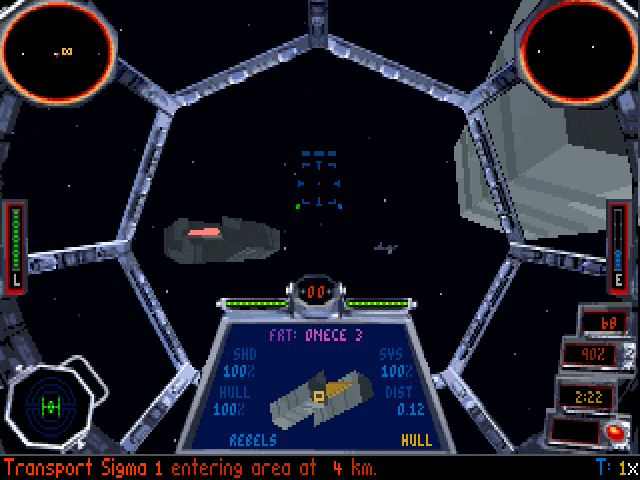
Edit: OMG guys, I think I found the solution! Thanks to Armando over at Quarter to three for suggesting Open Broadcaster Software! I just ran a bunch of test videos and it caught TIE Fighter and my mic’s audio without any slowdown! YAY! I’ll be giving it a full test tomorrow! Onward with videos!
Hey y’all, I was just asked this in a comment, but I thought I’d post a general update too. At the end of my last Let’s Play video, I mentioned that the next game I plan to tackle for a series of Let’s Play videos was Star Wars: TIE Fighter. This is one of my favorite games ever, and it was honestly suggested more than once that I make a video series out of playing it. As soon as I was done the last video, I began to test out the DOS Collector’s Edition with FRAPS, the program I use to capture nearly all of my screenshots and video.
Well, imagine my dismay when I saw that activating the recording functionality of FRAPS slowed the game down to a crawl. This happened in both 320 and 640 resolution, after testing several different DOSBox variables and so on. It’s honestly quite frustrating. The author of FRAPS has been damned helpful over email, but so far the problem still hasn’t been solved, so I might have to use DOSBox’s native video capture capabilities and forgo any commentary. Would you guys be okay with that?
Now, y’all might be asking why I’m using the DOS version and not the later-released Win95 version. It’s simple really: I love iMuse. I felt that the redbook audio in the Win95 version of the game kinda ruined the immersion present in the DOS version thanks to the reactive nature of the iMuse music system, and I wanted to preserve that. :)
So in conclusion, unless I find a way to record smooth video of the game in action along with my own voice, the videos might just be of the game’s audio. If y’all have any suggestions as to how to make this work, I’d be happy to hear ’em, but I wanted to let y’all know what was going on with these vids regardless. Thanks for visiting!

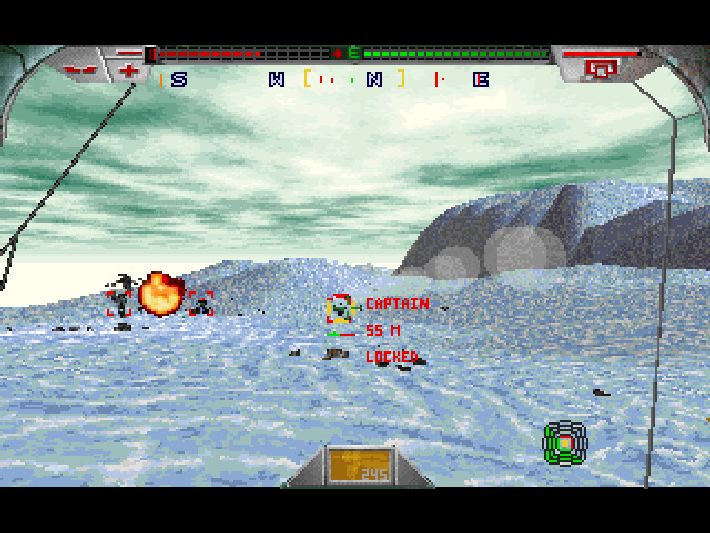






Give the DOSBox capture a try. I tried it a while back and it worked fairly well, even in a test on an ancient Win95 rig! I think the output is in AVI, so there’s no trouble with converting.
Yeah, that’s my last resort. DOSBox doesn’t record microphone input as far as I can tell, so it’d just be the game without my commentary. :/
Ooh yeah, commentary. That’s a bit of a sticky point. You could record it afterwards and add it to the video, but that doesn’t really work well. You might have to surrender the glory of iMuse for the Windows version, which doesn’t slow to a crawl with Fraps (at least it didn’t when I did an X-Wing vs. TIE Fighter vid).
Guuuuuuuuuuhhhhhh, I can’t STAND the redbook audio in the Win versions, I feel like it’s a huge step down from iMuse. Siiiiiiigh.
It IS a huge step down. They brought it back for X-Wing Alliance, but sadly not the earlier games. The Redbook audio is so damned bland after a couple times I just disable it and run a playlist of spacey music instead. Ah well…
Wait, iMuse is in Alliance? How did I not know that…
I had a few problems with screenshotting X-Wing last year (FRAPS and DOSbox don’t seem to get on too well with me) and found Hypersnap 6 to be the solution. Perhaps the same is true with video capture? Might be worth trying the trial – https://www.hyperionics.com/
Sadly Hypersnap only seems to do still capture and not video. :/ Thanks for the suggestions though. It appears as is Snagit now captures video as well, but I don’t want a whole new program to be the solution.
Be a bit more complex to do, but maybe do two recordings in parallel… one DOS box recording of the video and audio, while recording your running commentary into a second audio recording somewhere, and then merge the two audios afterwards?
What about using a separate audio program in the background to record any sound coming from the microphone. You would still be able to provide commentary while playing, and once you are finished, use a basic video editor to sync up the game with your commentary to make one video file.
I was going to suggest this. A program like Audacity shouldn’t slow down things much (if at all) and then you just need to sync up the audio with the video (probably say something distinct when something distinct on the screen shows up at the start).
There are always other options for video commentary. Recording software running in the background, then join the audio and video later.
But otherwise.. YES TIE FIGHTER.. YES.. OH GOD YES.
my childhood, oh my childhood…
Could you record your commentary on a second device, and then merge the two tracks in post?
This really is one of the best games of all time.
Force separate affinities for dosbox and despair
Sorry, fraps
Wow, holy crap, hey party people and NEW folks to comment, welcome! ;) Alright, alright, I’ll try recording video and audio separately, might y’all know of a good program I can use to merge the two once I’ve recorded them?
quick search came up with these options :P https://www.junauza.com/2008/02/freeopen-source-video-editing-software.html
I’m not that familiar with modern video editing software though, last time I did it, was with a camera 3 times the size of my head, and hurt the shoulder to use… and the software was on PowerPC mac. XD
Heh, I could do a search and find random programs, but finding the right one is a bit trickier. ;)
I know Adobe Premiere Elements can merge video and audio — I tried it for a wedding video I had taken years ago. It worked, but syncing the mouths to the words was almost impossible.